
Review the applications, project summaries and next actions available to your signed-in workspace.

Your authorized intelligence workspace
Clearer context.
Better informed decisions.
RayAI brings project reasoning, available reports and workspace context together. Your assigned account, role and project permissions determine what you can access.
Use your assigned RayAI account. Contact SolveMotion Labs to discuss access.
A focused workspace
Understand the work in context.
Client views are limited to authorized tenant context. Administrative tools remain restricted to administrators.
Review available reports and readiness context with their source and limitations. An unavailable report does not establish a passing result.
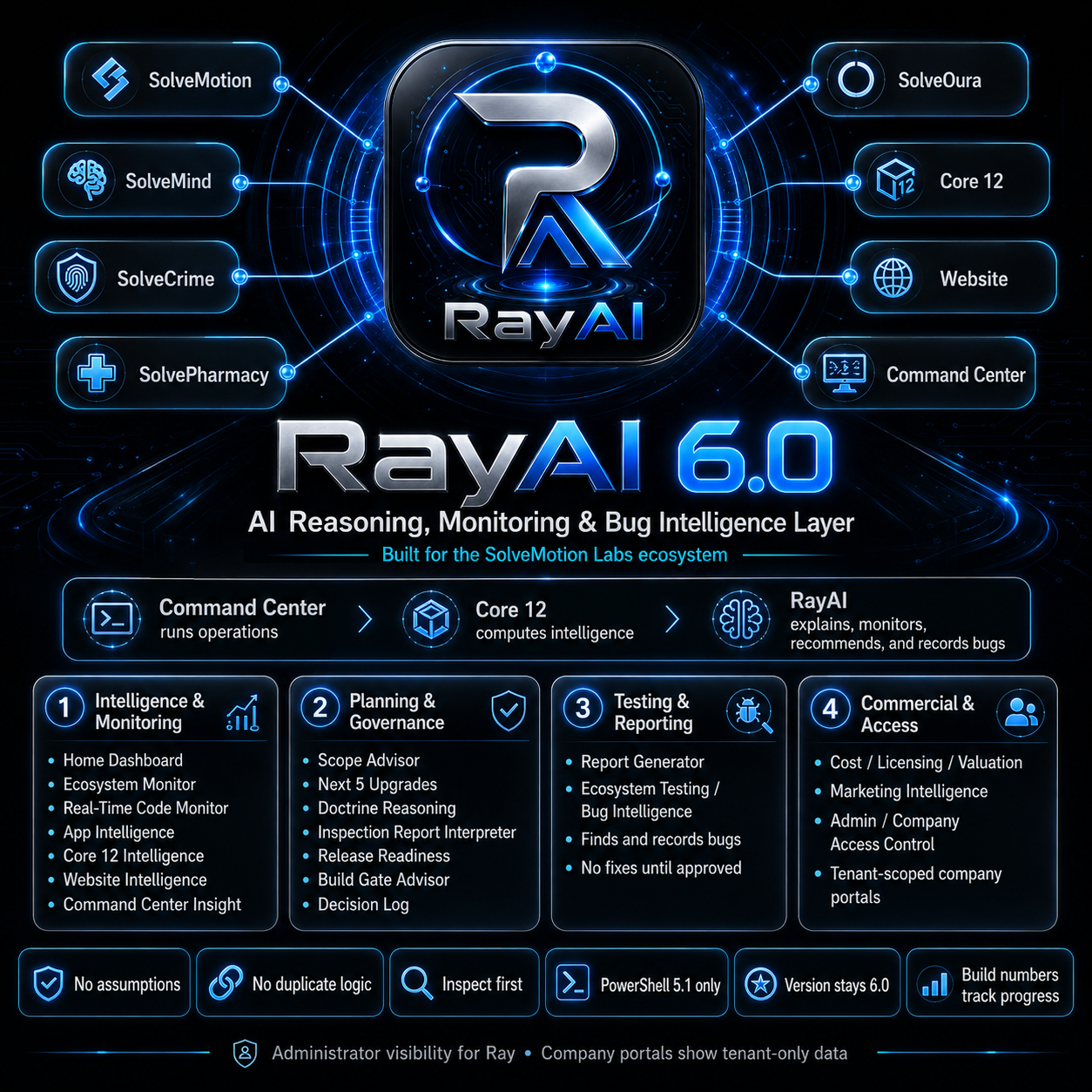
RayAI provides reasoning and authorized review. Core 12 owns shared deterministic intelligence; SolveStudio owns Blueprints; Command Center owns controlled execution.
Your starting point
Sign in. Review. Decide.
Use your assigned account
Enter through the existing RayAI sign-in. Your current session and assigned role determine access.
Open your workspace
Explore the project, application and report context that your account is authorized to see.
Review available evidence
Check source context, report availability and the limits of the information before drawing a conclusion.
Keep judgment with people
Continue through existing review and approval processes. Consequential decisions remain human-governed.
Create something new
An existing project or a new idea?
Review an authorized project
Begin in RayAI for your existing workspace and available project reports.
Sign in to RayAIPlan an app or website
Begin with public SolveStudio discovery for a new software idea. Studio guides intake and Blueprint preparation; authorized project review follows the established handoff.
Start with SolveStudioConcept illustration
RayAI in the ecosystem.
Find the right next step.
Explore RayAI access, the connected products or a new software project with SolveMotion Labs.